CPU Affinity
CPU affinity determines which physical CPU core(s) the Sim Engine is allowed to run on. Real-time applications use affinity to avoid context switching and prevent the OS from moving the thread between cores.
Why CPU Pinning Matters
- Eliminates cross-core migration latency
- Reduces L1/L2 cache invalidations
- Provides consistent timing and lower jitter
- Ensures predictable frame start times
Recommended Setup
For high-performance simulations:
Windows
Set the simulation loop thread to:
- A dedicated core
- Highest real-time priority
- Multimedia Class Scheduler Service (MMCSS) if needed
Linux
Use low latency or RT kernel
Pin using sched_setaffinity() and set a real-time scheduling policy like SCHED_FIFO.
Dedicated Core Strategy
Ideal setup for a 4-core CPU:
| Core | Role |
|---|---|
| 0 | OS services (avoid) |
| 1 | User applications |
| 2 | Simulation loop (pinned) |
| 3 | Recording / async tasks |
This eliminates interference and minimizes jitter.
Real-Time OS Tuning
Real-time performance can be heavily improved by tuning the OS behavior.
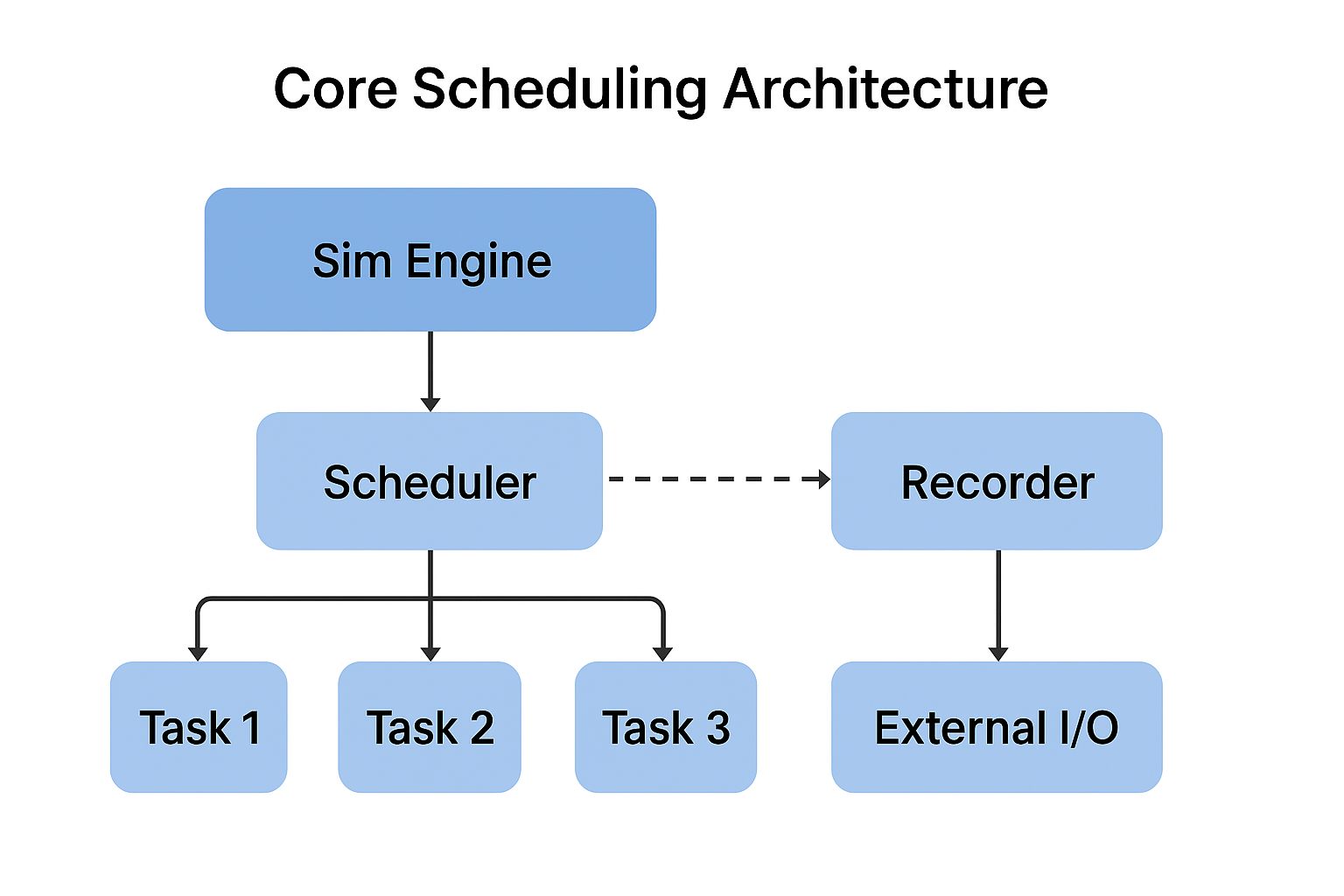
Windows Tuning
Enable HPET/Disable HPET (depending on your CPU)
Different CPUs benefit from different timer modes. Always benchmark:
Use MMCSS for soft real-time
Use the Multimedia Class Scheduler Service to achieve lower jitter:
Disable core parking
Prevents Windows from migrating your thread to a waking core.
Disable dynamic frequency scaling
Use High Performance power plan. Enable 100% minimum CPU frequency.
Linux Tuning
Use PREEMPT_RT kernel
This gives OS-level deterministic execution.
Disable power-saving features
Disable:
- C-states beyond C1
- P-states / CPU frequency scaling (use performance governor)
bash
    sudo cpupower frequency-set -g performance
Disable IRQs on your dedicated core
Offload interrupts to non-critical cores:
bash
    /proc/irq/*/smp_affinity
Isolate the core
Boot parameters:
ini file
    isolcpus=2 nohz_full=2 rcu_nocbs=2
Lock memory
Avoid page faults:
CPP
    mlockall(MCL_CURRENT | MCL_FUTURE);
These strategies together dramatically reduce jitter and increase determinism.
Lockless Pipeline
A lockless design minimizes thread stalls and avoids unpredictable mutex behavior.
Why lockless?
Common Lockless Patterns
Sim Engine Recording Example
The optimal recording pipeline is:
JAVA
Frame Loop (Producer)
   → Lockless ring buffer
        → Recording Thread (Consumer)
Producer writes one frame worth of data at a time. Consumer flushes data whenever possible.
Double Buffer Technique
Use two buffers:
Every frame, swap pointers atomically:
CPP
    if (!busy.load()) {
        swapBuffers();
        busy.store(true);
    }
Zero locks. Zero stalls.
Memory Management Rules
Real-time systems must avoid operations that can cause unpredictable delays.
DO NOT inside the real-time loop:
DO outside or before the loop:
Memory Locking
Lock all pages:
CPP
    mlockall(MCL_CURRENT | MCL_FUTURE);
Prevents the OS from paging anything to disk.
Multi-Rate Scheduling
Not all tasks need to run at the main frame rate. The Sim Engine can support tasks running at:
How Multi-Rate Scheduling Works
At each frame:
CPP
    if (frameId % 10 == 0)
        run_100Hz_task();
    if (frameId % 2 == 0)
        run_500Hz_task();
    run_1000Hz_task(); // always runs
Use Cases
Design Strategy
Simulation Determinism Theory
Simulation determinism means:
The same input sequence produces the same outputs every time.
In a real-time engine, determinism depends on:
Fixed time steps
No variable dt (delta time). All updates run at constant time intervals.
Deterministic execution order
All tasks must run in the same order every frame.
No race conditions
Avoid shared mutable state between threads unless lockless or protected.